IGNOBLE System Requirements
Confirm your Windows PC can keep dense harvest fights readable.
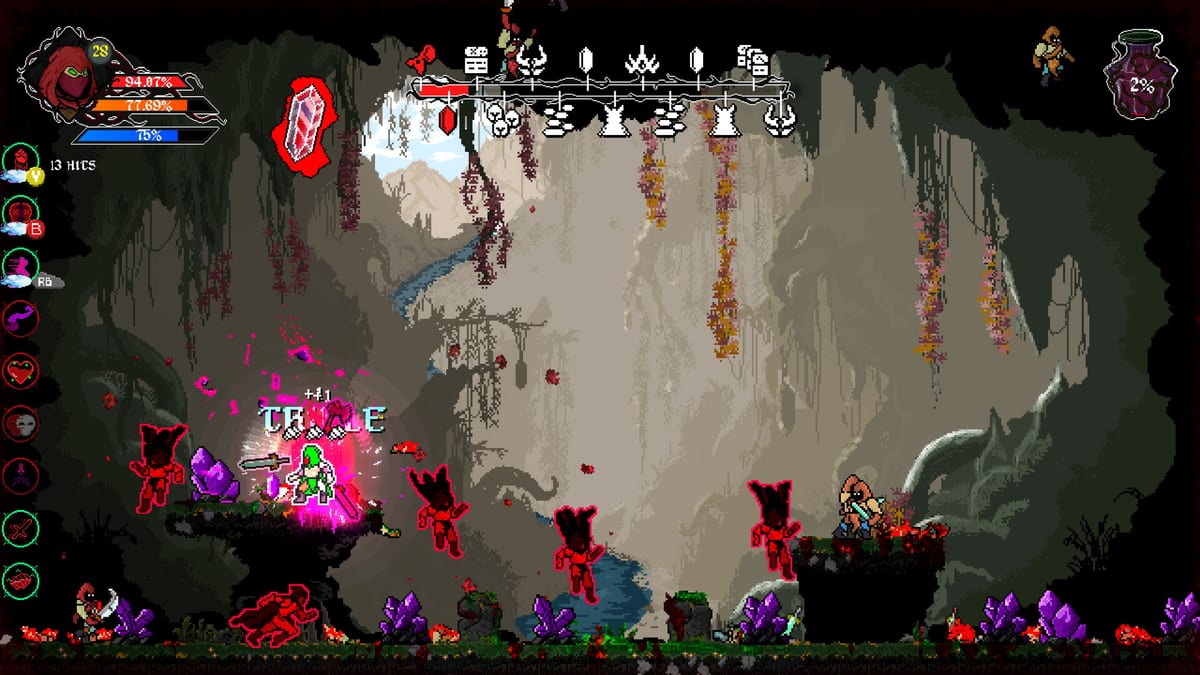
IGNOBLE is a PC Steam title with modest install size on paper and surprisingly busy screens in motion. Meeting minimum specs prevents launch, but comfortable specs protect the combat readability that makes harvest runs fair. Use this page as a practical checklist beside the official Steam numbers.
Official minimum baseline
According to the Steam store page at the time of writing:
- OS: Windows 10
- CPU: Intel Core i3-3220
- RAM: 8 GB
- GPU: Nvidia GeForce 960 class
- Storage: about 200 MB available space
Always recheck Steam before buying—publishers can still revise requirements after launch.
Practical recommendations
- Prefer a machine that holds a stable frame rate when particle-heavy deaths overlap.
- 8 GB RAM is minimum; close Chrome megasessions before long farming loops.
- A 960-class GPU can work; newer integrated graphics vary wildly—test the demo if still available.
- Storage is tiny, but place the install on an SSD for snappier menu and stream stutter reduction.
- Keep GPU drivers current before a long prestige night.
Settings triage if performance dips
- Lower effects that obscure telegraphs.
- Cap framerate to stabilize input.
- Disable background overlays that hitch.
- Verify controls still feel tight after changes (Controls).
Unstable FPS masquerades as unfair bosses—fix hitching before blaming How to Beat Tyrants strategies.
Peripheral checklist
- Keyboard or Xbox-style controller
- Headphones optional but useful for audio tells
- Second monitor optional for Build Planner checklists
Pre-launch dry run
- Update Windows and GPU drivers.
- Wishlist/follow via Official Links.
- Rehearse the loop with How to Play and Demo Walkthrough.
- Confirm you want the fantasy with Game Review.
Laptop notes
Power mode should be high performance while farming. Thermals matter more than raw GPU name stickers when packs explode into effects. If the laptop throttles, reduce settings early rather than mid-tyrant.
After patches
Performance patches may arrive post-launch. Watch Updates Hub and retest after major visual changes. Spec pages go stale; your frame-time graph does not lie.
Meet the minimum to boot. Beat the practical checklist to enjoy the blood economy without the slideshow tax.
Launch-night triage script
If the game stutters on unlock evening: verify GPU drivers, close overlays, lower effects, recap frame rate, then retest a dense pack room before touching bosses. Only after that pipeline fails should you suspect a deeper hardware gap. Many “unfair” hits on day one are frame-time villains wearing tyrant masks.
Keep Steam’s live requirement text authoritative. This page adds player-facing triage around those numbers so you spend the night harvesting, not reinstalling DirectX packages in a panic.
Closing note for System Requirements
Keep this page beside your next run and change one habit at a time. IGNOBLE rewards decisive conversion—of enemies into progress, and of wiki reading into a single purchase you can explain aloud. When you need a sibling route, jump from here with intent rather than tab chaos, and let the August 12, 2026 Steam launch be a beginning you actually remember mastering.
Related path marker: review/system-requirements.mdx stays the editorial anchor for future patch edits on this exact article.
Controllers, overlays, and hidden FPS thieves
Discord overlays, aggressive RGB software, and browser hardware acceleration can steal frame time on machines that otherwise meet the GeForce 960-class baseline. Disable them before you declare IGNOBLE unoptimized. Then retest a dense harvest room and only afterward adjust in-game effects.
If you dual-wield keyboard and controller across sessions, recalibrate deadzones once—do not change five settings mid-tyrant. Stability is part of system readiness, not only raw GPU nameplates.
Frequently Asked Questions
Quick answers grounded in IGNOBLE combat and progression.
Can IGNOBLE run on low-end PCs?
Many can meet the modest minimum, but test dense combat. Readability matters more than boot success.
How big is the install?
Steam lists a very small storage footprint around 200 MB—verify on the store page before you buy.
Is Steam Deck officially covered?
Treat Deck as unverified until Steam posts a rating. The game is presented as a Windows PC release.
What should I upgrade first?
Enough RAM headroom and a GPU/driver setup that keeps particle-heavy fights smooth.